What a musician’s website needs to get you booked
The pieces promoters, venues and journalists look for when they open your site, in the order they look for them. And what you can leave out.
 By Joan Subirats, founder of The Jazz Passport9 min read
In this article
People who book music open your site with one question in mind: does this project fit my venue, my festival, my event? They aren't browsing. They look for a handful of things, almost always in the same order, and if those things take too long to find, they close the tab and open the next link in their inbox. This guide follows that order one piece at a time, then looks at what you can take out.
Who opens your site, and how
Three kinds of reader do most of the opening. One is the promoter or programmer of a venue or festival, who decides whether to book you. Another is the engineer or production manager, who needs to know what it takes to put you on a stage. The third is the journalist, who wants a photo, a line to quote and a fact to check.
None of them has much time, and all of them have too many tabs open. Many will reach you on a phone, between a soundcheck and a meeting. They come from the link in your email or from a search for your name. So build the site for a small screen and a few seconds of reading. Put what matters at the top, where nobody has to scroll or open a menu to find it.
1. Who you are
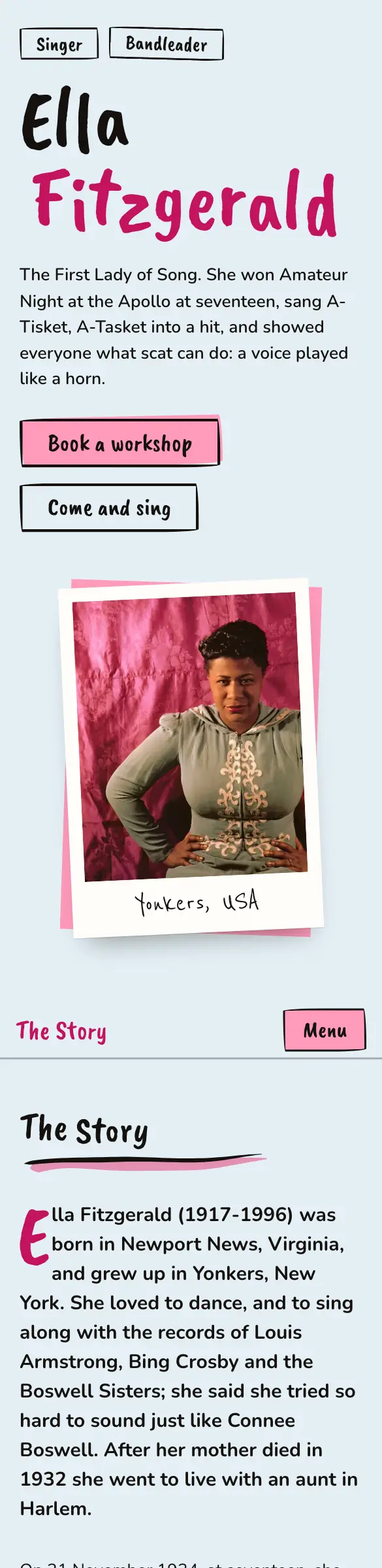
Someone who has never heard of you needs three things first: your name, a photo, and a line that says what you do and where you're from. "Jazz quartet from Valencia" tells them more than any adjective could. If you're a band, say so, and say how many of you there are. If you play several styles, pick the one you want to be booked for right now.
The header photo is the one people see most. Use a recent one where you can be recognised, and check on a phone that it isn't cut in half.
2. What you sound like
Next, the promoter wants to hear you. Give them one piece, your best, one click away. A whole catalogue in date order leaves them to choose, and a player at the bottom of the page leaves them to hunt. If your best recording is live, all the better, because a live show is what they're booking.
Choose the piece for the person who will book you, even if another one was harder to record. A summer festival wants something different from a jazz club.
3. What you are like live
A venue has to be able to picture you on its stage. For that, a live video does more than three studio photos, even if the video is simple. Next to it, add the practical details: the line-ups you can play in (duo, trio, with a guest), how long a set runs and whether you play two. Promoters always ask. If the answers are already on the page, you save an email each way.
4. Your dates
A list of upcoming dates, each with the day, the city and the venue, shows that you're working. An empty list, or one that still shows last year's concerts, says the opposite. If nothing is coming up, take the section out, or replace it with a selection of venues and festivals you've already played.
Dates that are written properly also help with search. When each one has its venue, search engines can show them as concerts in their results.
5. How to book you
By now the promoter wants to write to you. Don't make them search for how. Put a booking form or an email address where they can see it, and if someone else handles your bookings, say who. A form has one advantage over a bare address: it can ask for what you need to know (the kind of event, the date, the place), and every request arrives in the same order.
Then reply quickly. If a request goes a week without an answer, the best site in the world hasn't helped you.
6. Press and materials
The last stop is for the journalist and the engineer. The journalist needs a bio, high-resolution press photos with their credits and review quotes with their sources. The engineer needs the rider and the stage plot. Together they make up the press kit, which has its own guide: how to make a press kit people read. For the bio, see how to write it in three versions.
None of this has to be public. The rider or your phone number can go on a page that only people with the link can see.
What you can leave out
A site that exists to get you booked improves far more from losing things than from gaining them. Anything that doesn't help someone decide slows down the person who is looking for what does.
Keep
- A line saying what you do and where from
- One piece, your best, a click away
- Dates with city and venue, up to date
- A booking form or a visible email
- High-resolution press photos, credited
Take out
- Music that plays by itself when the page opens
- Splash pages before the site
- News from two years ago
- A list of every gig since you started
- Basic information buried in a PDF
A few other things usually take up space without helping. A wall of embedded social feeds slows the page down and repeats what's already on your social accounts. An "under construction" section adds nothing, and neither does the same long bio pasted onto three different pages.
Before you send the link
Open your site on your phone and read it as someone who has never heard of you. Then go through this list.
The site, ready to send
- Name, photo and a line on what you do and where from, without scrolling
- A piece that plays with one click
- A live video
- Line-ups and set length
- Upcoming dates up to date, or no dates section at all
- A booking form or email, in plain sight
- Bio, press photos and rider at hand
- The shared link shows your photo and your name
People often forget the last item. When you paste your link into an email or a message, a card appears with an image and a title. If that card comes out blank or with generic text, your first impression starts at a disadvantage.
How Pages handles it
A site in Pages is made of blocks that already cover these pieces: a header with your name and photo, your music, videos, dates, bio, press and contact. The dates you add in the Studio Calendar appear on the site and are published as events that search engines can read. The booking form asks for the kind of event, the date, the place and a message, and each request reaches your Inbox and your email.
Health then checks the published site. It looks at how the site appears in search, what a promoter sees and what shows up when someone shares the link. Each warning takes you to the place where you can fix it.
Your site, without the website work. Ask for your invitation.
Pages is the site and the Studio for musicians by The Jazz Passport. The technical side is done; you bring the music.